






Getting fit feels easier when you can see real progress. A smart scale helps you track more than just body weight. It shows changes in muscle, fat, and daily habits. This makes your fitness journey feel clearer and more rewarding.
If you want simple tools that guide your wellness goals, RENPHO offers smart scales that connect with an easy-to-use health app. In this guide, you will learn how to set up your scale, sync it with your phone, log your data, and understand trends that help you stay motivated.
Why Tracking More Than Weight Matters
Weight alone tells only part of your health story. Your body changes in many ways each week. Muscle gain can hide fat loss on the scale, even when you are making great progress.
Smart scales track key body metrics that show what is really happening. These include body fat, muscle mass, and water levels. This data helps you see patterns over time instead of focusing on daily changes that may not matter much.
When you focus on trends rather than single numbers, fitness feels less stressful. You also gain better control over your habits. This makes it easier to build a healthy routine that lasts.
Choosing the Right Smart Scale
Not all smart scales work the same way. Some only track weight, while others offer full body insights and app support. Choosing the right one helps you stay consistent and motivated.
Look for a scale that connects through Bluetooth or Wi-Fi. Make sure it works with your phone system for smooth syncing. This saves time and keeps your data up to date without extra steps.
If you share your home, pick a scale that supports multiple users. This keeps each person’s data private and accurate. A clean and simple design also helps the scale fit into your daily routine.
Unboxing and First Setup
Start by placing the scale on a flat and hard floor. Avoid soft surfaces, such as rugs or carpets. This helps the sensors give accurate readings every time you step on. Insert the batteries or charge the scale, depending on the model. Turn it on and wait for the display to light up.
Keep your phone close so you can connect to the app without delays. Make sure Bluetooth or Wi-Fi is active on your phone. This helps the scale find your device faster. Once both are ready, you can move on to pairing.
Syncing With the Health App
Download the health app from your phone’s app store. Create a simple account using your email or login option. This allows the app to save and organize your fitness data.
Open the app and choose the option to add a new device. Stand near the scale while pairing. Follow the on-screen steps until the app confirms the connection.
Take a quick test, weigh in to check syncing. If your data shows up in the app, you are ready to start tracking your progress.
Taking Your First Measurement
Step on the scale barefoot for the best results. This allows the sensors to read your body data more clearly. Stand still until the numbers stop moving. The scale will show your weight first. Then it sends your full body data to the app.
You can view details like body fat and muscle in just a few seconds. Try to weigh yourself at the same time each day. Morning works best for most people. This keeps your results fair and easy to compare over time.
Understand Your Body Metrics
Smart scales give you several health numbers, not just weight. Each one tells a different story about your body and habits. Learning what they mean helps you make better choices.
Body fat percentage shows how much of your body is fat. Lower numbers often indicate better fitness. Muscle mass tracks strength growth and workout progress.
Water percentage shows hydration levels. Drinking more water can improve this score. Bone mass reflects long-term body strength and overall wellness.
Logging and Tracking Your Data
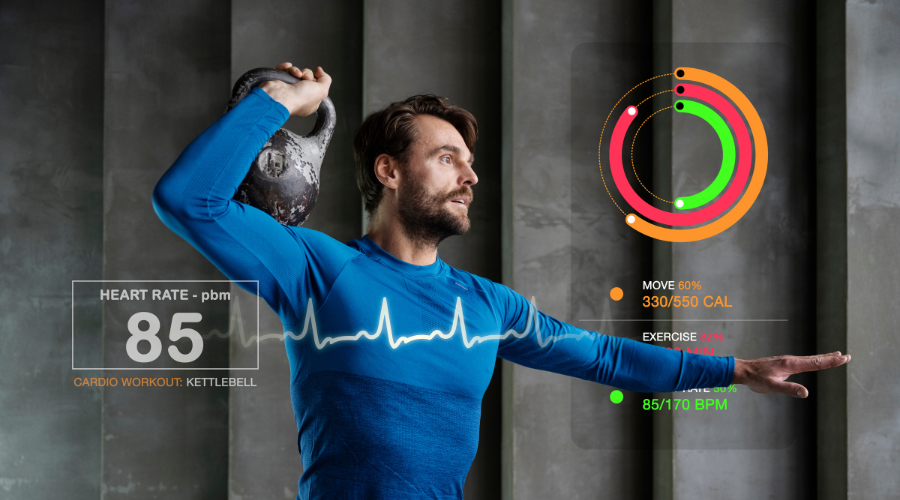
Smart scales save your data automatically after each weigh-in. The app automatically updates charts and graphs. This makes tracking simple and stress-free. You can view daily, weekly, and monthly trends in the app.
These views help you spot real progress over time. Small changes become clear when you look at longer patterns. If your scale supports multiple users, set up separate profiles. This keeps each person’s data safe and organized. Everyone can track their own fitness goals.
Making Sense of Fitness Trends
Daily numbers often go up and down. This is normal and expected. Food, water, and sleep can change results from day to day. Focus on weekly and monthly trends instead. These show true progress over time.
A steady rise in muscle or drop in fat means your routine is working. If your weight stays the same while your muscle mass increases, celebrate. That usually means fat loss is happening. These trends tell a better story than one number alone.
Using Data to Improve Workouts
Your scale data can guide your exercise plan. If muscle growth slows, you may need to increase your strength training. If body fat stays high, adding more movement can help. Set small and clear goals in the app.
Track progress toward each one. This turns fitness into a simple, fun challenge rather than a hard task. Review your results every few weeks. Adjust workouts based on the data. Let your body metrics shape your routine.
Building Healthy Daily Habits
Smart scales work best when paired with good habits. Sleep helps your body recover and grow stronger. Water supports energy and a better balance in the body. Use app reminders to stay on track with goals.
Set alerts for movement, hydration, or weigh-ins. Small actions each day lead to lasting results. Combine tracking with balanced meals and light exercise. This supports long-term wellness. Your scale becomes a daily guide, not just a tool.
Common Mistakes to Avoid
Do not weigh yourself at random times each day. This can confuse your trend data. Stay consistent for clearer results. Avoid placing the scale on carpets or uneven floors. This can lead to wrong readings.
A hard and flat surface works best. Do not stress over daily changes. Focus on long-term progress instead. Fitness is a journey, not a race.
Staying Motivated Over Time
Tracking progress builds confidence. Each chart shows how far you have come. This makes it easier to stay focused and positive. Celebrate small wins each week. A lower fat number or higher muscle count matters.
These signs show real effort and growth. Share your goals with friends or family. Support makes fitness more enjoyable. Your smart scale becomes part of your daily lifestyle.
Conclusion
Using a smart scale can change how you see your fitness journey. It shows more than just weight. It shows habits, trends, and real progress over time. By setting up your scale, syncing the app, and tracking your data, you gain better control over your health. Small changes build strong results. Consistency creates lasting success.
If you are ready to track smarter and feel more confident in your routine, explore smart scale options at RENPHO and start your journey with clear data and simple steps.